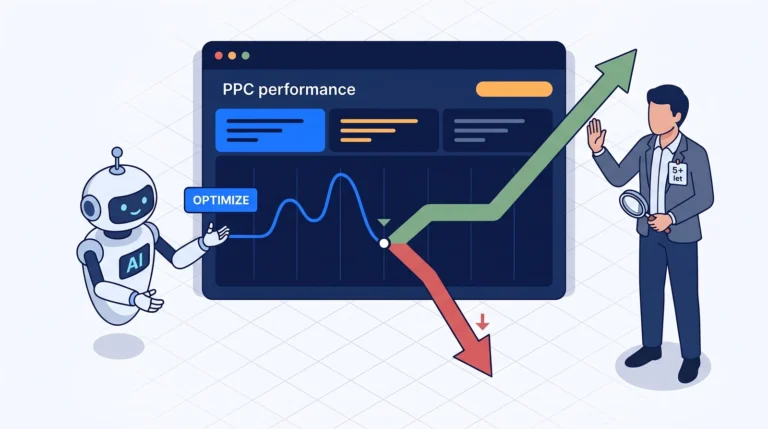


CMS migration and website redesign: the path to WORSE performance for your site
Problem: Throughout my career, I’ve seen dozens of CMS migrations and website redesigns. Only two of them didn’t tank organic traffic. Two. The rest ended in a slump—sometimes by 15%, sometimes by 60%, and in the worst cases, the client reverted to what they had before after six months, just hundreds of thousands poorer and with broken tracking.
This isn’t an article about how you shouldn’t migrate or redesign. You should. But the vast majority of those changes are reckless, not backed by data, and executed in a way that basic functions are forgotten—either the client misses them, or the new CMS provider neglects them; they might know how to build a pretty website, but they have no clue what a redirect map is or why 40% of organic revenue is on the line.
I’ve put together why things fail so often, what the absolute number one killer is (spoiler: redirects), a practical checklist for SEO, PPC, and analytics (GTM), and most importantly, the principle I live by: change one thing at a time.
Table of Contents
Why it goes wrong so often
The cause is almost never technical incompetence. It’s a combination of two changes at once and an absence of data.
A typical scenario I see over and over again:
- The client is unhappy with the site — “it looks dated,” “it’s not selling,” “I want it to look modern.”
- A new studio is hired to design a new design on a new CMS (from WordPress to Shoptet, from Shoptet to headless, from a custom solution to Webflow…).
- The studio builds a beautiful site. Visually, it’s a ten-year leap forward.
- The “big day” arrives — DNS is switched, the new site goes live.
- Three weeks in, organic traffic starts to drop. Two months later, there’s a 40 % slump. Nobody knows why because everything changed at once and there’s nothing to trace it back to.
The core of the problem: the URL structure, content, design, internal linking, templates, and often the CMS are all changing at the same time. When something tanks, you have no way to isolate the cause. Is it the redesign? Is it the new URL structure? Is it the loss of content? A change in site speed? Broken tracking telling you the drop is bigger or smaller than it actually is?
And the other half of the problem: the decision wasn’t data-driven. “It looks dated” is not a KPI. Nobody measured which pages drive revenue, which keywords hold positions, which landing pages have the best conversion rate — and therefore, nobody knows what must not be broken.
The #1 performance killer: URL redirects (especially for products)
If I had to pick the single thing that kills SEO during migrations most often, it’s incorrect or completely missing mapping of redirected URL addresses. And it’s most painful for e-shops, specifically with product URL addresses.
What actually happens:
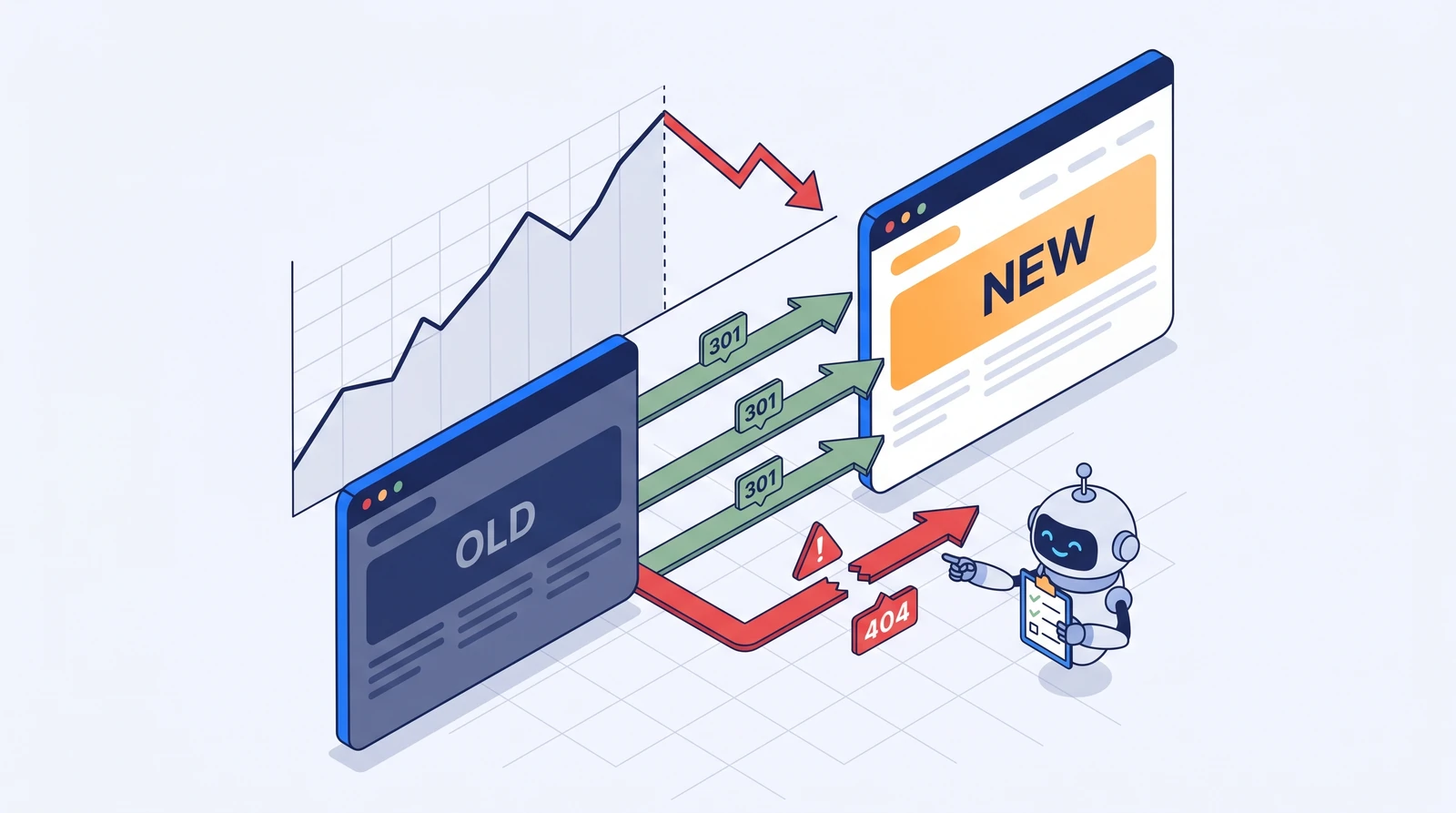
- The old site had
/behaci-pas-xterra-tr150 - The new site has
/produkty/behacke-pasy/xterra-tr-150 - There is no 301 redirect between them
- Result: the old URL returns a 404. Google had it indexed, it had backlinks, age, and first-page rankings. Everything vanishes. The product is still on the site, but at a completely new address with zero history.
For an e-shop with thousands of products, this doesn’t happen to just one URL — it happens to hundreds or thousands at once. And since nobody monitors every single product, you only find out from the aggregate: “organic revenue seems to have dropped somehow.”
Why products are usually the worst:
- There are the most of them — nobody can manage this manually; it has to be done systematically via a map.
- They generate direct revenue — a product drop = immediate loss of money, not just “traffic.”
- Their URL pattern changes — a new CMS almost always generates a different structure for slugs, categories, and parameters.
- Expired/deleted products — what to do with product URL addresses that won’t be on the new site? (Answer: 301 to the closest category, not a 404, and definitely not a bulk redirect to the homepage — Google treats that as a soft 404.)
A redirect map isn’t a “nice to have.” It’s the foundation of a migration. If your new vendor doesn’t provide one or brushes it off with a regex like “redirect everything to the homepage,” you’re headed for disaster.
Pre-migration / redesign checklist
I go through this every time there’s a change. It’s split into three layers — SEO, PPC, Analytics — because each one breaks in its own way and is usually managed by someone else (which is why they often get overlooked).
🔍 Layer 1 — SEO
Before launch (on staging):
- ☐ Complete crawl of the old site (Screaming Frog / Sitebulb) — export ALL indexable URLs. This is your baseline. Without it, you have no idea what you need to keep.
- ☐ 1:1 redirect map — every old URL → new URL, as a 301. Pay extra attention to products and categories. No bulk redirects to the homepage.
- ☐ Export top pages by organic traffic (GSC + GA4, 12 months) — you need to know which pages drive traffic and revenue, and therefore what MUST NOT be broken.
- ☐ Export keyword rankings (baseline for post-migration comparison).
- ☐ Meta data check — did the title, description, H1, and canonical tags carry over? New CMS platforms often generate them differently (or leave them empty).
- ☐ Structured data (schema.org) — products, reviews, breadcrumbs. These often disappear entirely.
- ☐ robots.txt — is it accidentally blocking the whole site? (Classic mistake: staging had
Disallow: /and someone forgot to switch it at launch.) - ☐ XML sitemap — is it being generated, is it up to date, and has it been submitted in GSC?
- ☐ Internal linking — did the logic stay intact? New templates often scrap contextual links.
- ☐ Content — did category descriptions, the blog, and landing pages actually migrate? (Not “they’ll be moved later.”)
After launch (first 48 hours):
- ☐ Live redirect map test — check a sample of old URLs to verify that the 301 leads to the correct destination (not a 404, not a redirect chain, and not a 302).
- ☐ Crawl the new site — compare it with the baseline. What’s missing? What’s returning errors?
- ☐ GSC: Coverage report — monitor any spikes in 404s and “Crawled – currently not indexed”.
- ☐ Submit the new sitemap + request a re-crawl of key pages.
- ☐ Core Web Vitals check — the new site shouldn’t be significantly slower (a common side effect of a “beautiful” redesign loaded with scripts).
💰 Layer 2 — PPC
This is what gets overlooked the most, because “that’s a marketing thing, not a web thing.” But ad accounts depend on URLs just as much as SEO does.
- ☐ Final URLs for all ads — RSA final URLs, sitelinks, callouts with links. Where do they lead after the URL structure change? (404 = disapproved ad + burning through your budget.)
- ☐ Tracking templates (
{lpurl}, URL suffixes) — do they work with the new structure? Are UTM parameters being passed correctly? - ☐ Conversion actions — are you tracking purchases/leads on the new site? The conversion tag is on the thank-you page, which might have a new URL.
- ☐ Shopping / PMax feed — do the product URLs in the feed match the new ones? (Mergado, Heureka, Zboží feed → new URLs, otherwise “product unavailable” and rejection.)
- ☐ Remarketing audiences — is the pixel/tag running on the new site? Otherwise, your audiences will dry up in a few weeks.
- ☐ Dynamic remarketing — does the product ID in the feed match the ID the new site is sending to the dataLayer?
- ☐ Landing page experiments — active A/B tests in Google Ads won’t survive a URL change.
📊 Layer 3 — Analytics (GTM + GA4)
The most treacherous layer, because if your tracking breaks, you won’t even know that anything else is broken. Flying blind.
- ☐ GTM container on the new site — is it even deployed? On all templates? (Classic: it’s on the homepage, but missing from product templates.)
- ☐ GA4 base tag — are page views being tracked across the entire site?
- ☐ dataLayer — does the new CMS generate the same dataLayer structure? The ecommerce dataLayer (
view_item,add_to_cart,purchase) almost always needs to be rebuilt from scratch. - ☐ Conversion events — purchase, form submission, phone call. Verify each one live via GTM Preview.
- ☐ Enhanced ecommerce / GA4 ecommerce — are items, values, and currency being sent correctly?
- ☐ Consent Mode — are the cookie banner and consent signals working on the new site? (These often reset to default after a migration.)
- ☐ Cross-domain tracking — if the cart/payment runs on a subdomain.
- ☐ Server-side GTM — if it’s running, is the endpoint pointing correctly after the change?
- ☐ Calibration — let the old and new tracking run in parallel for a week (where possible) and compare the numbers. If the new one tracks 30% less, it’s not a business slump, it’s broken tracking.
The golden rule: change one thing at a time
Here’s the core of the whole article. Most of the damage doesn’t happen because migration is hard, but because too many things are changing at once.
When you’re switching CMS → ideally WITHOUT a redesign
Migrate your site to a new system while preserving the visual design, URL structure, and content as much as possible. The goal is for the visitor (and Google) to barely notice the difference. You’re swapping the engine, not the bodywork.
Why: if something drops later, you know it’s because of the migration — it can’t be the design, as that’s the same. Troubleshooting is a breeze. And once the new CMS is running stably and the metrics are holding, only then can you start dealing with the design.
When you’re redesigning → do it gradually and with A/B test
A ground-up redesign launched with a “big bang” is a total shot in the dark. Instead:
- Redesign section by section / template by template, not the whole site at once. Start with the product template, measure the impact, then move on to categories and the homepage.
- A/B test major changes against the old version. A tool like GrowthBook (open-source, self-hostable, feature-flag + experimentation platform) lets you roll out the new design to 50% of your traffic and measure the actual impact on conversions, rather than just going by gut feeling.
- Make decisions based on data, not on whether you “like it or not”. If the new product page converts worse, an A/B test will reveal that before you roll it out to 100% and burn through the whole quarter.
I’m mentioning GrowthBook because it offers an incredible price-to-performance ratio — it’s free, connects to GA4 / BigQuery / your own data, and feature flags give you the power to roll anything back instantly if an experiment tanks your performance. There’s also Optimizely, VWO, or AB Tasty — they’re pricier, but work on a similar principle.
What if you need both at once?
Sometimes you just can’t split it (the client only pays for the studio once, deadlines, budget). In that case, at least:
- Redirect map as the holy grail — don’t cut any corners here.
- Staging with full testing of all three layers (SEO/PPC/GTM) before you touch production.
- Parallel tracking for the first few weeks.
- Rollback ready — a backup of the old site that you can deploy within an hour, not a week.
Two cases that turned out well (and why)
I promised those two exceptions. What did they have in common?
Case 1 — CMS migration without a redesign. The e-shop was moving from an aging custom system to a standard platform. The studio got a clear brief: same look, same URL, same content. A 1:1 redirect map for a few dozen changed URLs. The launch happened overnight; the next morning we went through the checklist, found two broken conversion actions, and fixed them by lunch. Organic didn’t skip a beat. Three months later, once the system was running stably, we finally started with design tweaks — one by one, measured.
Case 2 — redesigning section by section with A/B tests. A B2B site, gradual redesign template by template. Every change went through an A/B test against the old version. One new product page template converted worse — the A/B test caught it, we rolled it back, reworked it, and tested again. If the whole redesign had been deployed at once, that drop would have been lost in the noise and never found.
The common denominator for both: one variable at a time. It was always clear what caused which effect.
Conclusion
Migrations and redesigns aren’t a problem in themselves. The problem is doing them blindly, all at once, and without a safety net. The best web developer in the world won’t help you if nobody prepares a redirect map, verifies tracking, and checks that ads don’t lead to a 404.
Three things to take away, even if you forget everything else:
- A redirect map is a necessity, not an extra. Especially for products.
- Change one thing at a time — CMS without a redesign, redesign gradually and measuredly.
- Without functional tracking, you’re flying blind — verify GTM/GA4 first, otherwise you won’t know if anything broke.
If you have a migration or redesign coming up and want to be sure you won’t lose organic traffic and break your tracking, reach out. I can go through that checklist with you or your studio before the launch — it’s significantly cheaper than fixing a drop three months later.
Got a migration or redesign coming up?
I’ll walk you (or your studio) through an SEO/PPC/GTM checklist before launch. Half a day’s work that will protect you from losing hundreds of thousands. No sales pitch.
FAQ
- How long after the migration will the drop-off hit? Usually 2–6 weeks, depending on how fast Google recrawls. That’s why it’s so dangerous—if you decide “it’s up and running, we’re good” after a week, the drop is likely still on its way.
- Can I just redirect everything to the homepage to avoid 404s? No. Google will treat it as a “soft 404” and it’ll drop out of the index anyway. Plus, you’ll lose all your link equity. Always use a 301 to the most relevant existing page.
- Do I have to build the redirect map manually? For small sites, yes. For large ones, go semi-automatic—matching via URL patterns, product IDs, or names—but the final check must be human. AI can handle most of the matching these days, but verification is still up to you.
- What about site speed after the redesign? Monitor Core Web Vitals before and after. A “beautiful” redesign packed with animations and scripts often tanks LCP, which drags down both rankings and conversions. Measure, don’t guess.
- When is it safe to switch CMS and redesign at the same time? Almost never, if you care about organic traffic. If you absolutely have to, see the “What if both must happen at once” section—redirect map, staging, parallel measurement, and a rollback plan.