


PPC specialists are forgetting about GCLID during redirects!
Why GCLID matters
When you set up Google Ads correctly, the GCLID (Google Click ID) parameter is automatically added to every click. It’s a unique identifier that lets you link an ad click with Google Analytics and other conversion tracking tools. Thanks to GCLID, you can precisely distinguish where a user came from and evaluate the performance of individual campaigns. If this identifier gets lost, tracking systems will no longer know that the visit came from a paid ad and might categorize it as organic or direct traffic.
What happens during a 301/302 redirect
When you’re redesigning a website, changing a domain, or migrating to HTTPS, you’ll often use 301 (permanent) or 302 (temporary) redirects. These redirects are configured on the server and send the visitor from the original URL to the new one. However, if the redirect isn’t set up correctly, it can strip all parameters from the address bar—including GCLID, UTM parameters, or FBCLID. Google warns in its documentation that when you redirect a landing page using a 301, 302, or a JavaScript redirect to another address, the original campaign identifiers (GCLID or UTM) get lost during the redirect. Similarly, analysts point out that these redirects can cause the loss of referrers and UTM parameters, which leads to visits being attributed to the direct channel.
Tip: 301/302 redirects can be an issue even at the subdomain level (e.g., http → https or an old page → a new category). Always test to make sure the parameters are preserved.
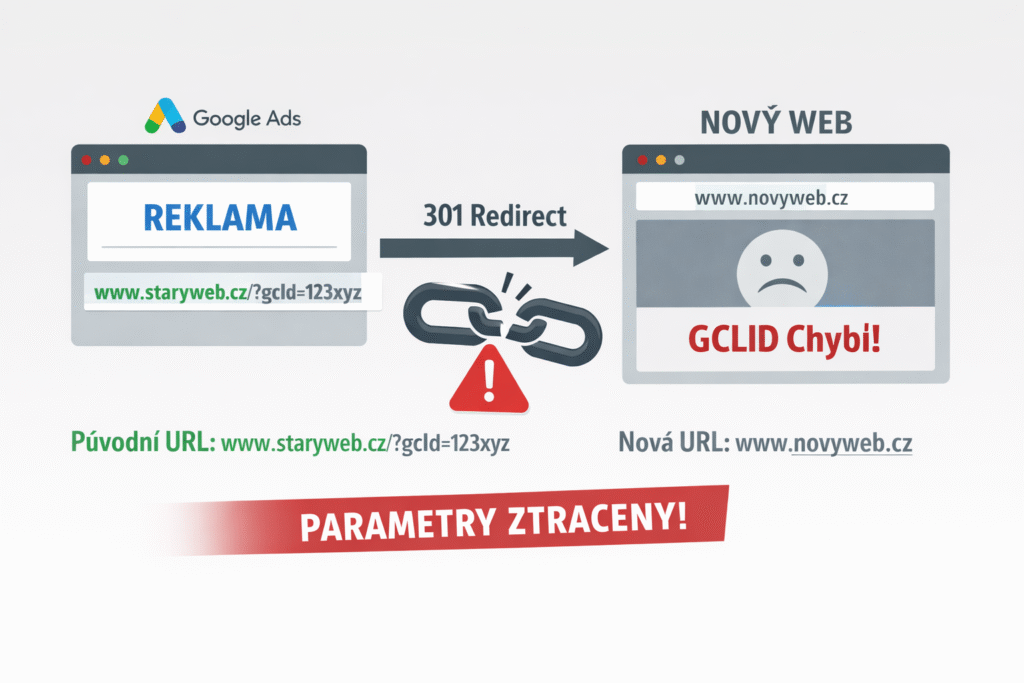
How to check if your redirects are stripping the GCLID
There’s a simple way to test the redirect behavior:
- Enter your landing page URL into your browser and add
?gclid=testto the end (e.g.www.vase-domena.cz/stara-url?gclid=test). - The page might then redirect to a new URL. Check whether the
gclid=testparameter remains in the address bar even after the redirect. - If the parameter disappears, the server is stripping the gclid during the redirect, and you’ll need to adjust the settings.
How to fix the issue
- Link directly to the final URL. If your Google Ads are still pointing to old URLs that redirect, update your destination addresses to the current URLs. This will help you avoid unnecessary redirects and losing your parameters.
- Configure your server to pass parameters. Ask your developers to preserve the query string in the web server configuration (e.g., in
.htaccessfor Apache or NGINX rules). This usually means using the QSA flag ([L,QSA]) or another method that forwards everything after the question mark to the new URL. - Check GCLID and other parameters after every website change. After a redesign, migrating to HTTPS, or changing the URL structure, always test whether the parameters are preserved and fix the settings if necessary.
- Make sure your tracking scripts load on time. Redirects can slow down the loading of tracking codes, which can lead to losing traffic source data. Google recommends ensuring that the Google Tag (or Google Analytics) fires before the redirect occurs.
Summary
PPC specialists often overlook the fact that redirects can strip tracking parameters like GCLID or UTM, completely breaking your attribution models. Once the GCLID is lost, the system can no longer attribute the conversion to the ad campaign, and your data gets lumped in with organic or direct traffic. That’s why you should always test redirects using ?gclid=test after any site updates to ensure parameters are passed through. This quick check can save you hours of analysis and keep your reports accurate.