

How to grant your PPC agency access to Seznam
Granting access to Sklik and Zboží.cz is a crucial step for the effective management and optimization of your ad campaigns on Seznam.cz. Below, you’ll find detailed guides on how to get it done.
How to grant access to Sklik.cz
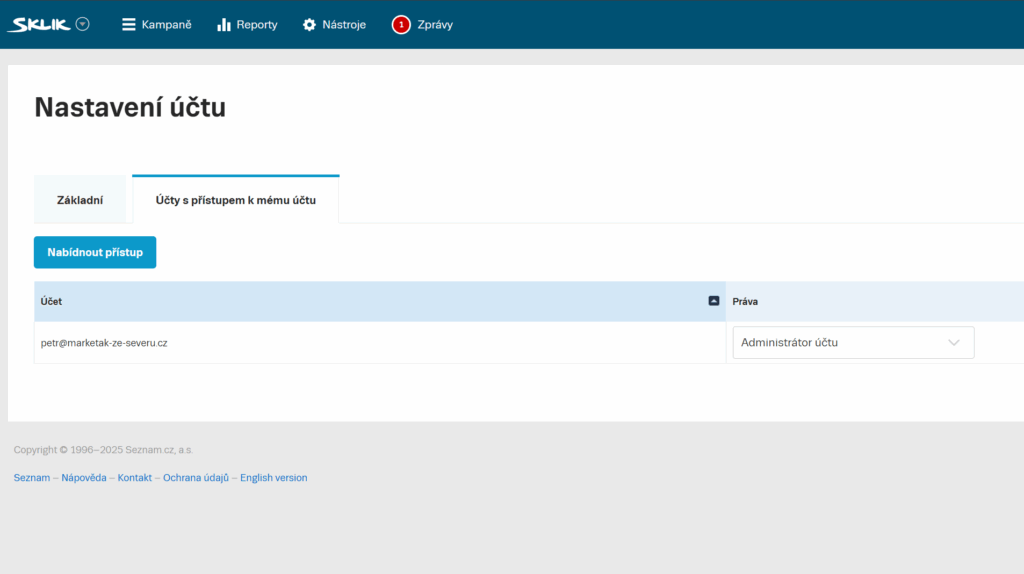
- Open your Sklik.cz account. In the top menu, click your email in the top right corner and then on Settings.
- Access settings. On the new page, switch to the Accounts with access to my account tab and then click Edit or Offer access.
- User input. In the Account you’re granting access to field, enter the email address [email protected].
- Granting permissions. Choose the Permissions level. The ideal choice is account Administrator, which gives them full control over campaigns, including creating, editing, and managing them. Alternatively, you can choose the Manager role, which has the same permissions but cannot manage users. Click Save.
How to grant access to Zboží.cz
Granting access to Zboží.cz is closely linked to your Sklik account, as product campaign management for Zboží.cz takes place right in Sklik. However, you manage the actual permissions on the klient.seznam.cz domain, where you typically handle your advertising payments.
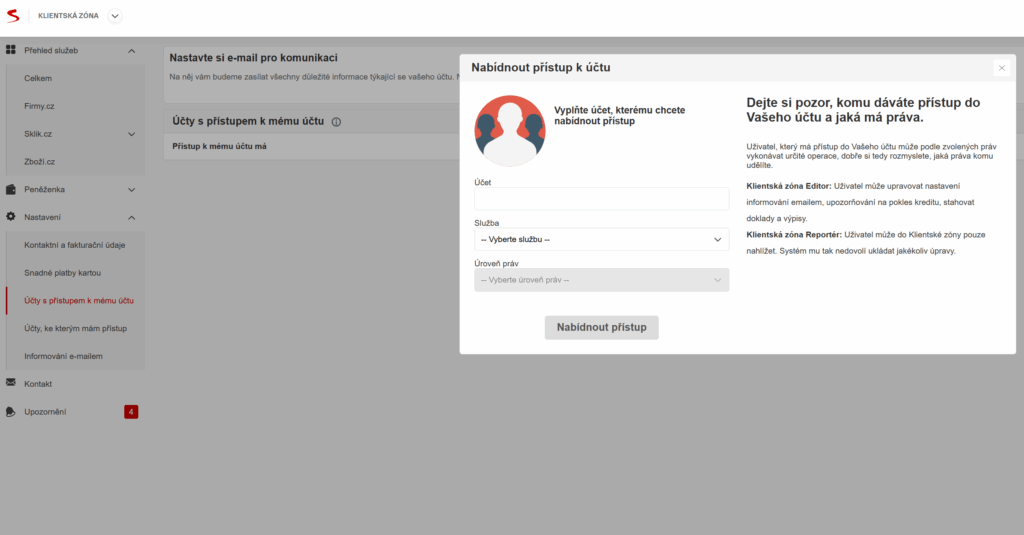
- Log in to the Seznam client zone. In the left menu, click on Settings and then on Accounts with access to my account.
- Access management. In this section, click the Offer access button on the right. A pop-up window will appear, as shown in the image below.
- Adding a user. Enter the email address [email protected], select Zbozi.cz as the service, and choose Account Manager as the permission level, which allows for managing all store settings, including product bidding, feed edits, and so on.
- Send the invitation. Click Invite user.
How to grant access to Firmy.cz
Firmy.cz manages your business listing on Seznam.cz, and this information is also pushed to services like Zboží.cz and Sklik.cz.
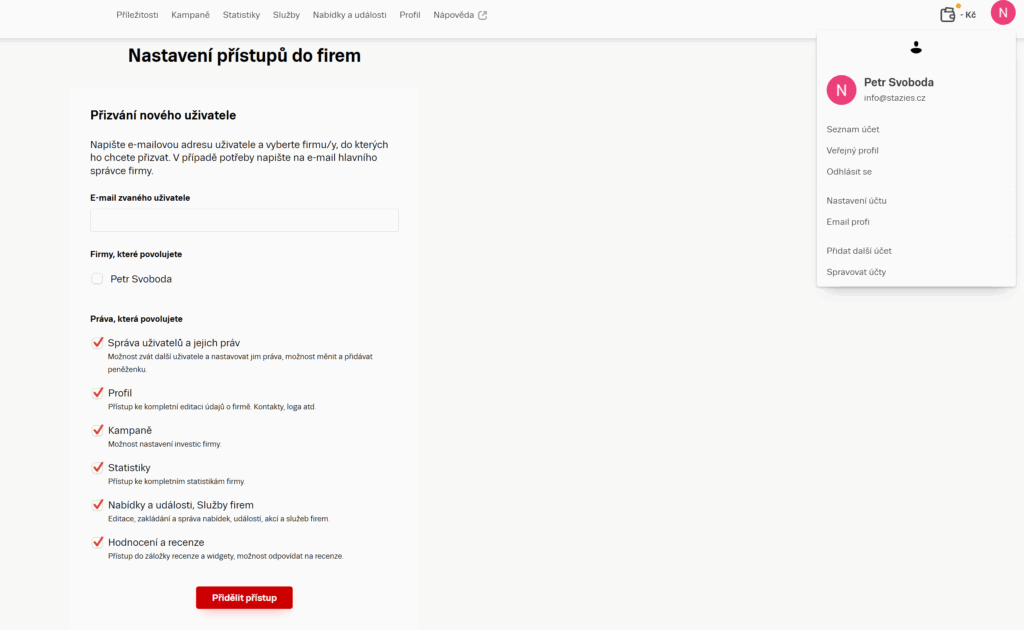
- Log in to admin.firmy.cz. Click the user icon on the right and then Account Settings. Double-check that you’re in the right company profile—you’ll see the company name in the top left corner.
- Access management. In the Invite new user section, enter the address [email protected], use the checkboxes to select the companies you want to grant access to, and check the permissions you want the user to have.
- Sending the invitation. Click on Grant access.