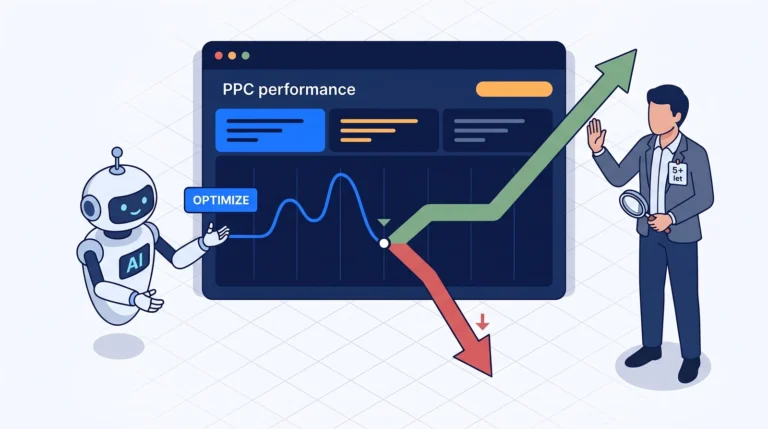


Pipedrive → Google Ads without Zapier: how AI wrote an offline conversion tracker for me in 45 minutes
Problem: Offline conversions are the holy grail of B2B PPC. Without them, the Google Ads bidding algorithm is just swimming in raw leads—from the typical “I’ll read it in a week” to “I’m signing the master agreement”—and everything carries the same weight. Most “standard” ways to get CRM data back into Google Ads are paid (Zapier, Make, LeadsBridge, HubSpot connector).
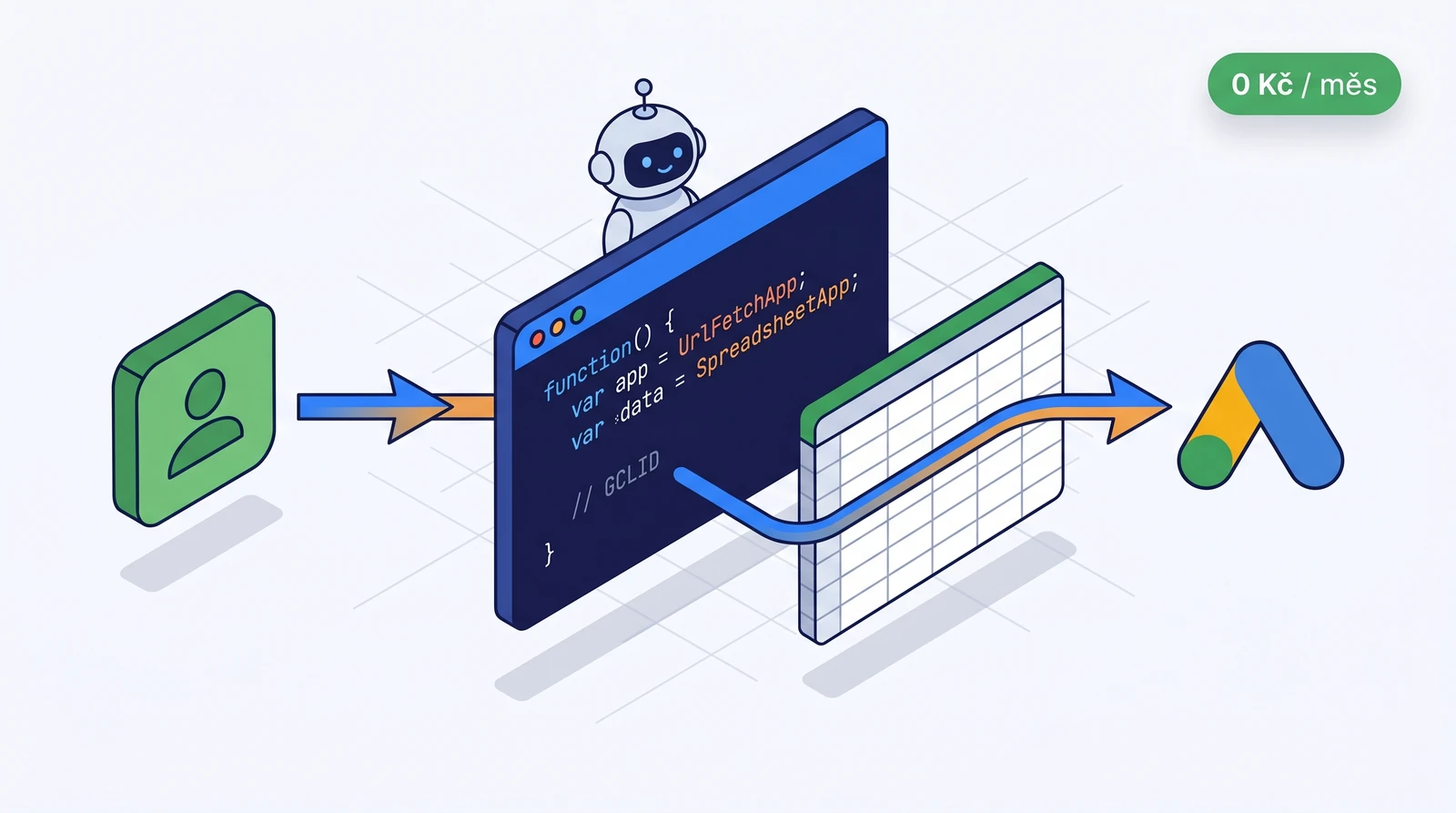
This article is about how I connected Pipedrive → Google Sheet → Google Ads for a client without a single third-party SaaS. The whole thing runs on Google infrastructure, for free, and AI wrote the code for me in 45 minutes. I’ll show you the architecture, the practical steps, and where we hit a snag.
Contents
- 1. Why offline conversions when I’m already tracking form submissions?
- 2. What you typically pay for
- 3. The architecture I implemented
- 4. What was actually written
- 5. Where we tripped up (the honest part)
- 6. Iteration 2: 90-day backfill
- 7. Iteration 3 (planned): Enhanced Conversions for Leads
- 8. What I actually got out of it
- 9. What this means for you as a PPC specialist in 2026
- 10. When not to do this
- Conclusion
- Technical details I skipped (for the curious)
1. Why offline conversions when I’m already tracking form submissions?
A typical B2B lead process looks like this:
- A user clicks on an ad (Google Ads assigns a GCLID — Google Click ID).
- They fill out a form → a Lead is created in the CRM (Pipedrive, HubSpot…).
- A sales rep qualifies it → MQL (Marketing Qualified Lead).
- After a call → SQL (Sales Qualified Lead).
- Eventually → a closed deal worth, say, 250,000 CZK.
If you only send step 2 (form submit) to Google Ads, the algorithm learns to optimize for the quantity of leads — not their quality. And that’s a massive difference: leads for 50 CZK where you close one in 40, vs. leads for 500 CZK where you close one in 4. The second path is usually dramatically cheaper in terms of customer acquisition, but without offline data, the algorithm will never figure that out.
The solution is offline conversions. You only send back clicks to Google Ads that have passed qualification in the CRM — ideally with a value (billing potential, pipeline value, fixed proxy). Bidding switches from “send me more leads” to “send me leads that actually turn into business”.
2. What you typically pay for
Before I dove in, I had two paths ahead of me:
| Tool | Typical price | What it can do |
|---|---|---|
| Zapier | $19–69/month based on operations | Pipedrive trigger → Sheet/Ads action |
| Make.com (Integromat) | €9–29/month | Same, cheaper at higher volumes |
| LeadsBridge | $22/month+ | CRM → Ad platform specialist |
| HubSpot ↔ Google Ads native | part of HubSpot Marketing Pro (€890/month) | HubSpot clients only |
| CustomerLabs | $49/month+ | Server-side CDP approach |
In reality, you’re looking at 500–1,500 CZK per month just for “something moving a row from Pipedrive to Google Ads.” I have more and more clients who want this. The bill is adding up.
And that’s when a question started eating at me: why am I paying for this when 50 lines of JavaScript in Google Apps Script can handle all the logic—for free, with no infrastructure, and no vendor lock-in?
3. The architecture I implemented
Three components, none outside the Google and Pipedrive ecosystem:
- Pipedrive — the GCLID is stored in a custom field on the Lead (typically as a hidden field in a form, populated via GTM from the
gclidquery parameter or the_gcl_awcookie). - Google Apps Script (specifically a Google Ads Script, which lives directly inside the Google Ads account) — it’s free, has its own
UrlFetchAppfor HTTP calls,SpreadsheetAppfor Sheets, and supports scheduled triggers (every morning at 6:00 AM). - Google Sheet — two tabs. The first
Vcerais overwritten daily with fresh data (debug view). The secondAppendis never cleared — a history of everything the script has ever processed. A free audit trail.
The resulting CSV/sheet is then either uploaded manually to Google Ads (Tools → Conversions → Uploads), or you can run another scheduled script to send it automatically via the Ads API. I went with a manual upload — the client likes having manual control before writing data to Google Ads, and honestly, it’s just one click a week.
4. What was actually written
Here’s a condensed anatomy of the key function (minus the tokens and specific field hashes — you’ll find those in the constants at the top of the actual script):
function syncPipedriveLeads() {
  const API_URL = `https://${SUBDOMAIN}.pipedrive.com/api/v1/leads`;
  const sheet = SpreadsheetApp.openById(SHEET_ID);

  // 1. Pipedrive paginated pull — včerejšek
  const yesterday = new Date(Date.now() - 86400000);
  const leads = fetchPipedriveLeads(API_URL, yesterday);

  // 2. Filtr — jen s GCLID
  const withGclid = leads
    .filter(l => l.custom_fields[GCLID_FIELD_HASH])
    .map(l => ({
      gclid: l.custom_fields[GCLID_FIELD_HASH],
      conversion_time: new Date(l.add_time).toISOString(),
      conversion_name: 'MQL_offline_qualified_lead',
      conversion_value: 1000,
      currency: 'CZK'
    }));

  // 3. Zápis: list "Vcera" přepíše, "Append" naappenduje
  writeReplace(sheet.getSheetByName('Vcera'), withGclid);
  writeAppend(sheet.getSheetByName('Append'), withGclid);

  Logger.log(`Zpracováno ${withGclid.length} leadů`);
}
There are about 40 more lines of helper functions — API pagination, error handling, and custom field hash lookup. The entire script is under 150 lines, including comments. It runs automatically every day at 6:00 AM. I don’t have to worry about it at all.
5. Where we tripped up (the honest part)
Nothing went smoothly on the first try. Two specific traps you’ll run into too:
A. add_time vs. conversion_time → dates in 1970
The first version sent the add_time_utc column to the Sheet, but I ended up with “1970-01-01 00:00:42”. Classic Unix epoch 0 — a sign that something unreadable (most often null or an empty string) is being passed into new Date().
Pipedrive returns add_time in the format "2026-04-18 14:22:11" (no T, no Z), which the JavaScript Date constructor in Apps Script parses based on the server’s locale environment — and if you dig into it, it’s UTC, but it needs to be handled explicitly:
// Pipedrive vrací "YYYY-MM-DD HH:mm:ss" v UTC
const isoTime = leadAddTime.replace(' ', 'T') + 'Z';
const jsDate = new Date(isoTime);
This is the skilled work that AI won’t do on its own—you have to spot in the data that something’s off and know that “a conversion time in 1970 is always a parsing error, never an input”.
B. Custom field hash, not the name
Pipedrive doesn’t allow you to query custom fields by the name “GCLID”. Every field has a 40-character hash as a key (5d8f…e3b2). You can only find it via GET /leadFields:
const fields = UrlFetchApp.fetch(`${API_URL}/leadFields?api_token=${TOKEN}`);
const gclidField = JSON.parse(fields).data.find(f => f.name === 'GCLID');
const GCLID_HASH = gclidField.key;  // tohle si ulož do Sheet konstant
The hash doesn’t change, so once is enough. But you need to know about it.
6. Iteration 2: 90-day backfill
Once the script was up and running daily, we needed a historical import — 90 days back — to push qualified leads into Google Ads for the period before this was live. A quick one-off modification:
- Instead of
yesterday, use the rangenow - 90 days. - Pagination via Pipedrive API (cursor-based,
?start=0&limit=100). - Handle the rate limit with a 100 ms sleep between requests (Pipedrive allows ~100 req/10s).
- Write it directly to a Sheet prepared for Google Ads offline conversion import (format
Google Click ID, Conversion Name, Conversion Time, Conversion Value, Conversion Currency).
Done in another 10 minutes. Run it manually, download the CSV, upload to Google Ads, and you’re done.
7. Iteration 3 (planned): Enhanced Conversions for Leads
So far, we’re only sending the GCLID. The next logical step is Enhanced Conversions for Leads — you bundle a hashed email and phone number with the GCLID so the conversion gets attributed even if the GCLID has expired or got lost (typically a mobile → desktop handoff).
Script extension:
// SHA-256 email lowercased + trimmed
const hashedEmail = hashSha256(lead.email.trim().toLowerCase());
// E.164 phone hashed
const hashedPhone = hashSha256(normalizePhoneE164(lead.phone));
In Apps Script, you need to implement SHA-256 using Utilities.computeDigest(Utilities.DigestAlgorithm.SHA_256, ...) — native support is available, you just have to know how to work with it.
8. What I actually got out of it
| Parameter | Zapier/Make route | My Apps Script route |
|---|---|---|
| Monthly cost | 500–1,500 CZK | 0 CZK |
| Setup time | 30–60 min | 45 min (including debugging) |
| Vendor lock-in | Yes | No |
| Audit trail | Paid add-on | Free (Append sheet) |
| Customization | Limited (no-code logic) | Full JavaScript |
| Scalability for other clients | Extra account / seat | Copy-paste + changing constants |
But these aren’t the most important numbers. There are two others:
- AI wrote the code. I didn’t spend hours poring over the Pipedrive API documentation. I just said, “we have a subdomain, we have a token, GCLID is a custom field, data goes into a Sheet with two tabs — write it,” and I got a working draft. The second prompt was “conversion_time is showing 1970, fix it.” The third prompt was “make a version for a 90-day backfill.” Done.
- My role has changed. I didn’t write a single line. But without knowing exactly what I want, what the Google Ads offline conversion import format looks like, what a GCLID is, and why an audit trail is necessary, the AI wouldn’t have guessed it. The expertise doesn’t lie in the code — it lies in the prompt.
9. What this means for you as a PPC specialist in 2026
A year ago, setting up a tracker like this would have taken me a day. Today, it takes 45 minutes. In another six months, AI will probably do it from a single prompt: “connect Pipedrive with Google Ads, GCLID is there as text” and it will find the hash, write the error handling, and deploy it all by itself.
And that’s why I see third parties like Zapier as a temporary middleman. They existed because code was expensive—an integration specialist cost thousands a month, while a no-code tool was 500 Kč. When the cost of code approaches zero (= the price of AI assistance), the middleman stops making sense.
For us PPC specialists, this means three shifts:
- The sales pitch is changing. Instead of “we’ll set up Zapier, it’ll cost you 29 USD/mo”, I now say “I’ll write a script, it’ll be yours, zero costs, full control”. Clients love hearing that. Especially those who’ve previously paid for some obscure SaaS that went bust or hiked its prices by 200%.
- The line between a PPC specialist and an analyst is blurring. I’m not a developer, but I can read 150 lines of JavaScript and know it’s insane to send 1970 to Google Ads. Those who can’t do that and rely solely on no-code have a competitive disadvantage because they can’t build exactly what the client needs.
- The cost is shifting from licenses to know-how. Everything I’ve described costs 0 Kč per month. My fee for it is the same as before (or more, because thanks to AI, I can deploy it for more clients in the same amount of time). The client is no longer paying for “the software that connects it”, they’re paying for “the person who knows what needs to be connected and why”.
10. When not to do this
To be fair: the Apps Script route isn’t always the right one.
- A team of >20 people who have to manage it without you: a no-code tool with a GUI is less painful than a script that only the author understands.
- Very high volume (>100,000 leads/day): Apps Script has execution limits (6 min per run for free Google accounts, 30 min for Workspace). For extreme volumes, you’ll either split the script into batches or switch to a dedicated Python/Node service.
- Complex branching logic (if Pipedrive status = X AND source = Y AND age > 30 → to channel A, otherwise B): a visual flow in Make is more readable for a client who wants to peek into the workflow themselves.
But for 80% of use cases like “get my CRM data into Google Ads”? Apps Script + AI = the cleanest way I know today.
Conclusion
I haven’t cancelled Zapier. For clients where it’s already up and running, let it stay. But I don’t suggest it for any new integrations anymore. I’ve got a better play — I know exactly what I want, and I have an assistant who can code it overnight.
If you’re dealing with offline conversions from Pipedrive (or HubSpot, Raynet, or anything else with a public API) and you’re still paying a monthly fee for transferring rows, let me know. I’ll show you using your own data, and within half a day, it’ll be running on your infrastructure, for free, forever.
Are you paying for Zapier and did you know there’s another way?
Drop me a line. I’ll show you a solution that runs on your own infrastructure, for free, forever. Real data, half a day, no SaaS.
Technical details I skipped (for the curious)
- Why Google Ads Script and not standalone Google Apps Script? Google Ads Script runs within the context of a specific Ads account, has direct access to
AdsApp(for potential future automation = uploading offline conversions via API), and handles scheduled triggers natively in the Ads UI. Plus — the client already has a login there, so you don’t have to deal with a separate Workspace. - Why not Google Cloud Function / Cloud Run? It works the same way, but you’re adding infrastructure, a GCP project, a billing account, and IAM. For 99% of clients, it’s overkill. Apps Script is “file, trigger, done”.
- Why the
Vcera+Appendsheets instead of putting everything in one? Debugging.Vcerais a quick, readable snapshot of “what came in today”.Appendis the history for auditing (if Google Ads reports “we don’t recognize this GCLID”, I look for it in Append and immediately see when we sent it). Separation = mental clarity. - A conversion value of 1,000 CZK is a proxy, not the actual deal value. For Smart Bidding, the relative weight between different conversions is more important than absolute numbers. If you know the value (ACV, LTV proxy), send it. If not, a fixed proxy at the MQL level is still better than nothing.